
The ace65 App —
Casino & Betting in Your Pocket
Download the ace65 app APK directly onto your Android phone. No Play Store needed. Slots, live tables, cricket betting, and Crash rounds — all reachable in two taps. Deposit with bKash or Nagad in under 2 minutes.


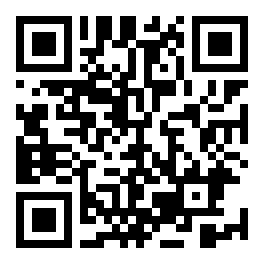 Scan to download
What Version Is the ace65 App Right Now?
Before downloading, check that your phone meets the minimum specs below. The ace65 app is a lightweight 32 MB APK — it installs fast even on a mid-range Android device with a standard mobile data connection.
| Item | Details | Notes |
|---|---|---|
| App Name | ace65 | Official APK — ace65.apk |
| Current Version | 3.3.14 | Released 10 Nov 2026 |
| File Size | 32 MB | Downloads in under 1 min on 4G |
| Android Required | 6.0 or above | Covers most phones from 2015 onward |
| iOS | No native app | Use Safari — Add to Home Screen works well |
| Price | Free | No install fee, no subscription |
| Languages | English / Bangla | Switch in Settings → Language |
| Last Updated | 2026-11-10 | Auto-update prompt inside the app |
Already have an account? Log in here and go straight to the app download link inside your profile page.
Why Use the App Instead of a Browser?
The ace65 app and the mobile browser version both work in Bangladesh, but the native app gives you a faster experience and a few extras. Here is a direct comparison so you can decide which one fits how you play.
| Feature | ace65 App | Browser (Mobile) |
|---|---|---|
| Load speed after first install | Faster — cached assets | Depends on network each time |
| Push notifications for match events | Yes | No |
| bKash / Nagad deposit flow | One-tap redirect | Works but more steps |
| Offline game pre-loading | Yes — partial | No |
| All 1,400+ games accessible | Yes | Yes |
| Live casino with video stream | Optimised stream | Works — may buffer on 3G |
| Fingerprint / PIN login | Yes | No |
| Deposit with bKash / Nagad | Yes | Yes |
| Minimum deposit amount | ৳350 | ৳350 |
| Requires installation step | Yes — takes ~2 mins | No — open and play |
New to ace65? Create a free account first — the registration takes about two minutes and you can do it inside the app after installing.
What Can You Play and Do in the App?
The ace65 app gives you full access to every section of the platform — not just a stripped-down mobile version. These six areas get the most traffic from Bangladesh players.
Slots (1,400+ Titles)
Spin slots from KA Gaming, PG Soft, CQ9, Red Tiger, and JILI. Games load within seconds on the app. Set your bet from as low as ৳1 per spin. Titles like Ice and Fire (RTP 97.7%) and Cocktail Nights are popular picks in Bangladesh.
Live Casino Tables
Play live Baccarat, Blackjack, and Roulette with a real dealer via HD video stream. Evolution tables like Mini Baccarat (RTP 96.5%) and European Blackjack (RTP 96.6%) run smoothly on 4G. Minimum bet is ৳10 at most live tables.
Cricket & Sports Betting
Follow BPL, IPL, T20, and ODI matches with in-play odds updated in real time. Monster Triple by Red Tiger blends sports data with slot mechanics. The app sends you a push notification when a match you follow goes live — the browser version cannot do that.
Crash Games
Crash rounds are fast — a game can finish in under 10 seconds. Cash out before the multiplier crashes to lock in your win. The app handles the rapid screen updates better than most mobile browsers, especially on slower 3G connections in rural areas.
Fishing Games
Shoot fish to earn prizes in real time. Bingo Fishing (JDB), Lucky Gods Fishing (JILI), and Dragon Fishing (Red Tiger) are all available. Bets start at ৳2. The touch controls in the ace65 app are more precise than a browser tap — worth trying on a commute.
Deposits, Withdrawals & KYC
Deposit via bKash, Nagad, Rocket, or Upay — funds arrive in about 2 minutes. Withdrawals process in roughly 21 minutes. KYC document upload (NID, passport, or driving licence) works directly from the app camera. Minimum withdrawal is ৳1,500.
How to Install the ace65 APK on Android — 5 Steps
Android phones block APK files from outside the Play Store by default. You need to allow "unknown sources" once — it only takes a few seconds. Follow these steps exactly and the ace65 app will be ready in under 3 minutes.
-
Allow Installation from Unknown Sources
Go to your phone's Settings → Security (or Apps → Special App Access on Android 8+). Find "Install unknown apps" and toggle it on for your browser or file manager. This permission tells Android it is safe to install APK files you downloaded yourself — not just from the Play Store.
You can turn this off again after installing ace65. -
Download the ace65 APK
Tap the "Download APK" button on this page or in your ace65 account profile. The file is 32 MB, so it completes in about 30 seconds on a standard 4G connection. Your browser may show a warning that the file "could be harmful" — this is a standard Android prompt for any APK. The file is safe.
File name: ace65.apk · 32 MB -
Open the Downloaded File
Pull down your notification shade and tap ace65.apk in the download notification. Alternatively, open your file manager, go to the Downloads folder, and tap the file from there. Android will show you the permissions the app needs before it installs — review them and tap Install.
Find the file at: Downloads → ace65.apk -
Wait for Installation to Complete
The installation screen will show a progress bar — it usually finishes in under 20 seconds. When Android shows "App installed", tap Open. The ace65 app icon will also appear on your home screen and in your app drawer for quick access next time you want to play.
The whole process takes about 2–3 minutes total. -
Log In or Register Your ace65 Account
Open the app and tap Log In if you already have an ace65 account. First-time players tap Register — sign-up takes about 2 minutes and you can claim your first-deposit bonus right after. Enter your bKash number, set a password, and deposit at least ৳350 to activate your account.
New player? Register here before opening the app to save time.
Using an iPhone? Add ace65 to Your Home Screen
Apple does not allow sideloading APK files on iOS. There is no ace65 iOS app — but the mobile website works very well in Safari and you can pin it to your home screen so it behaves like an app. All games, deposits, and withdrawals are available through the browser.
-
1
Open Safari on your iPhone and go to ace65.wine. Make sure you are on Safari — this feature does not work in Chrome or Firefox on iOS.
-
2
Tap the Share button (the square with an upward arrow) at the bottom of the Safari toolbar.
-
3
Scroll through the share sheet and tap "Add to Home Screen". If you do not see it, scroll further down in the list of actions.
-
4
Type a short name (e.g. ace65) and tap Add in the top-right corner. The ace65 icon now appears on your iPhone home screen and opens like an app — no browser tabs, no address bar.
The iOS browser version of ace65 supports all payment methods including bKash and Nagad. Deposit and withdrawal speeds are identical to the Android app.
Is the ace65 APK Safe to Install?
Downloading APK files outside the Play Store is normal for casino apps in Bangladesh — Google does not list real-money gaming apps. Here is what ace65 does to keep your device and account safe.
SSL Encryption on Every Connection
All data between the ace65 app and the server travels over a 256-bit SSL encrypted connection. This covers your login details, payment information, and game session data. You can confirm it is active by checking the padlock icon when you open the site in a browser — it should always show "Secure".
Minimal Device Permissions Required
The ace65 APK requests only the permissions it actually needs: internet access, camera (for KYC document upload), and storage (to save the APK update file). It does not request access to your contacts, microphone, location, or SMS messages. You can review the full permissions list in Android Settings → Apps → ace65 → Permissions.
Account Security — Two Layers
Your ace65 account is protected by a password you set at registration, plus optional fingerprint login on Android devices that support it. If you log in from a new device, the system flags it for review. Never share your password or one-time PIN with anyone — ace65 support will never ask for these details through chat or SMS.
How to Update the App Safely
When a new version is available, the ace65 app shows an update banner inside the lobby. Tap it to download the new APK directly from ace65.wine — the same trusted source as this page. Do not install APK files sent to you by other people through WhatsApp or Telegram, even if they claim to be ace65 staff. Only download from this website.
Ready to Download the ace65 App?
Tap the button to get the APK file — 32 MB, free, and ready to install in under 3 minutes. After installing, create your account or log in to start playing. Minimum deposit is ৳350 via bKash, Nagad, Rocket, or Upay.
Installation Not Working? Fix It in One Step
Most installation problems have a quick fix. Find your error message in the table below. If none of these solve it, contact ace65 live chat support — they are available 24/7 and can walk you through it in Bangla or English.
| Problem | Most Likely Cause | Fix |
|---|---|---|
| "Install blocked" or "Not allowed to install" | Unknown sources / install unknown apps permission is still off for your browser or file manager app. | Go to Settings → Apps → your browser → Install unknown apps → toggle ON. Then tap the APK file again. |
| "Parse error" or "There was a problem parsing the package" | The APK file did not finish downloading correctly, or the file got corrupted during transfer. | Delete the incomplete file, check you have a stable connection, then download the APK again from this page. |
| "App not installed" after tapping Install | An older version of the ace65 app is already on the device, or storage space is below 50 MB. | Uninstall the existing ace65 app first (Settings → Apps → ace65 → Uninstall), free up storage, then install the new APK. |
| APK downloads but nothing happens when tapped | Android requires a file manager or the browser's download manager to open the APK — the system does not auto-prompt on some custom ROMs. | Open your phone's Files or My Files app, navigate to Downloads, and tap ace65.apk manually to trigger the install screen. |
| App installs but crashes on the loading screen | Android version is below 6.0, or the phone has less than 1 GB free RAM and the system is killing the process. | Check Settings → About Phone → Android version. If below 6.0, use the mobile browser version at ace65.wine instead. If RAM is low, close all background apps and retry. |
Still stuck? Visit the Help Center or start a 24/7 live chat session directly from the app or the website.
Questions Players Ask Before Downloading
These are the questions ace65 support receives most often about the app. If your question is not here, the live chat team is available around the clock.
Is the ace65 APK safe — will it harm my phone?
Why isn't the ace65 app on the Google Play Store?
My Android is version 5 — can I still use ace65?
How do I update the ace65 app to the latest version?
Can I use the app to deposit and withdraw with bKash?
Do I need a separate account for the app, or is it the same as the website?
What happens to my account if I uninstall the app?
Downloaded the App — What's Next?
Once the ace65 app is installed, register your account or log in, make a first deposit of ৳350 or more, and explore over 1,400 games across slots, live casino, fishing, and sports. The casino lobby is a good place to start.